Convert Thunderbird to Outlook
By Aksel VisbyPublished Updated Tested with ContinuMail Converter v0.3.2
Bring your whole mailbox across — folders, read and unread, stars, and the tags you spent years adding — and have those tags show up as real Outlook categories, colours included. Your calendars, contacts and tasks come along too. It's free, runs entirely on your own PC with nothing uploaded, and you don't even need Outlook installed to build the file.
Free · no sign-up · Windows 10/11
Free & open-source (GPL-3.0) · Your mail is only ever read, never changed · Nothing leaves your PC
Why you can't just import Thunderbird into Outlook
Outlook has no "import from Thunderbird" button. The two apps store mail in completely different ways, so the usual workarounds — re-syncing every account over IMAP, or dragging messages out as individual files — are slow and quietly drop the parts that matter: your folder structure, your read and unread marks, your stars, and your tags. ContinuMail reads the Thunderbird profile directly and translates all of it into Outlook's own equivalents.
Nothing important gets left behind
| In Thunderbird | In Outlook |
|---|---|
| Your full folder & subfolder tree | The same folders, in the same shape |
| Parsed messages and their attachments | Converted messages and their attachments |
| Read / unread | Read / unread |
| Starred messages | Follow-up flag |
| Replied / forwarded marks | Replied / forwarded marks |
| Tags (e.g. Work, Important) | Outlook categories — your real tag names, colours baked into the PST |
| Junk mail | Your choice: leave it, tag it, or move it to a Junk folder |
| Calendar events & to-dos | Outlook appointments & tasks — recurrence, reminders and attendees included |
| Address books | Outlook contacts, photos included |
| Multiple accounts | One PST per account — each with its own calendars and contacts — or combined into one |
Bare exported .mbox files work too, but for the full set of tags and flags above, point it at your live Thunderbird profile — that's where Thunderbird hides them. The complete field-by-field breakdown lives on thewhat gets converted page.
Step by step
1. Download and install ContinuMail Converter
Get the free installer for Windows 10/11 and run it.
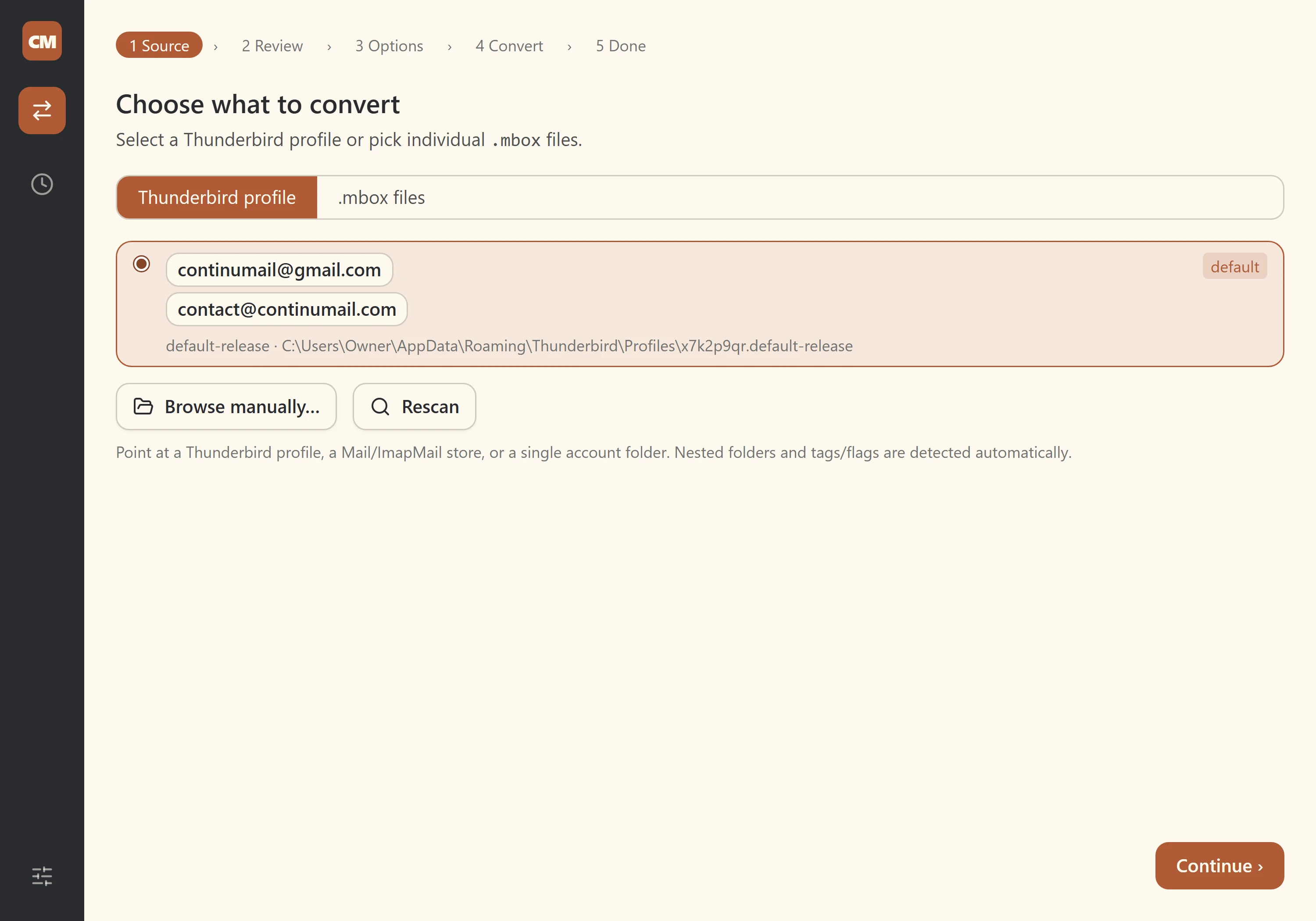
2. Scan for Thunderbird profiles
Open the app and choose Scan for profiles. It finds Thunderbird profiles automatically and lists the detected mail accounts and local archives for review.
3. Pick what to bring
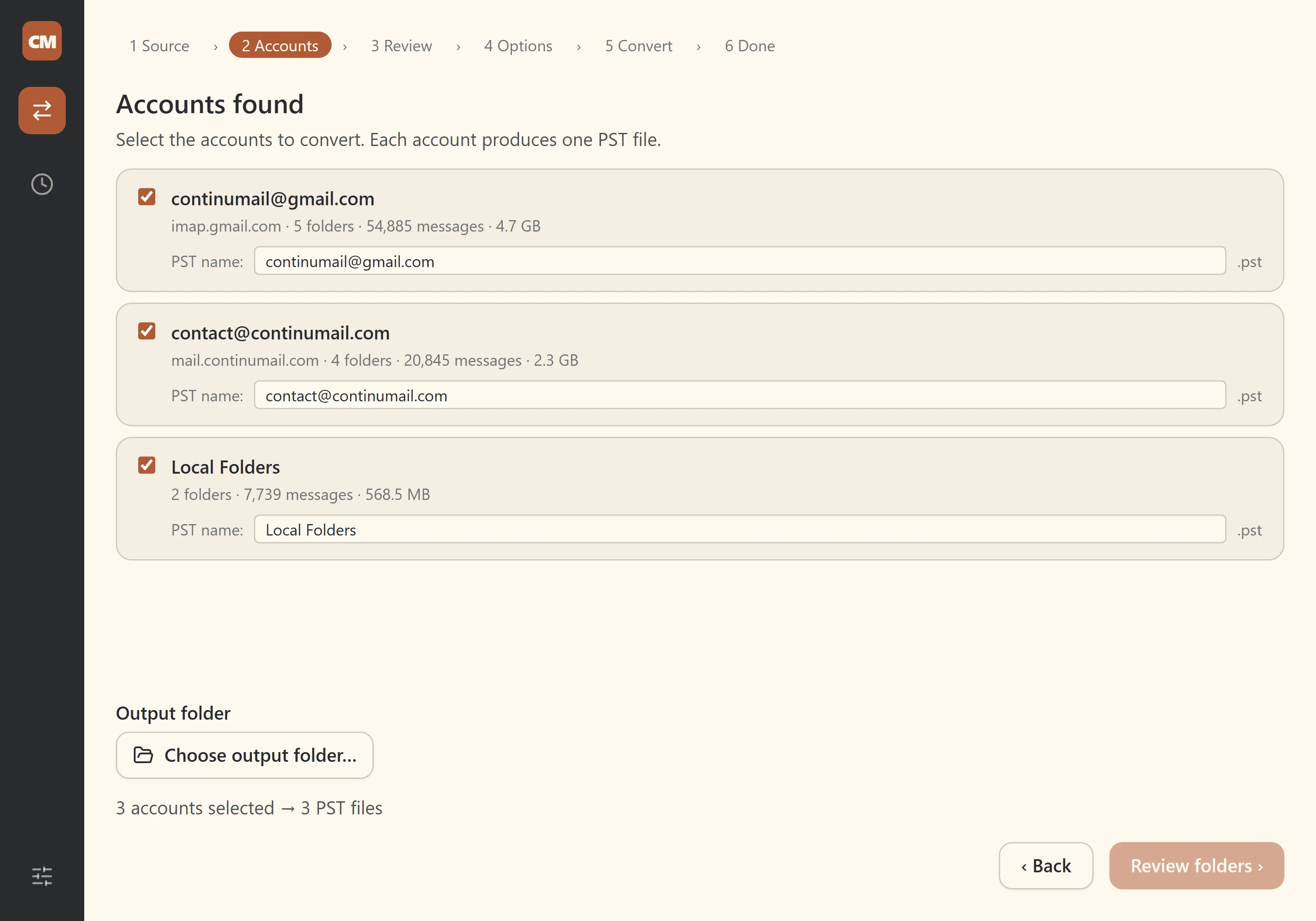
Review the accounts and folders it found and tick the ones you want to move into Outlook.
4. Choose your options
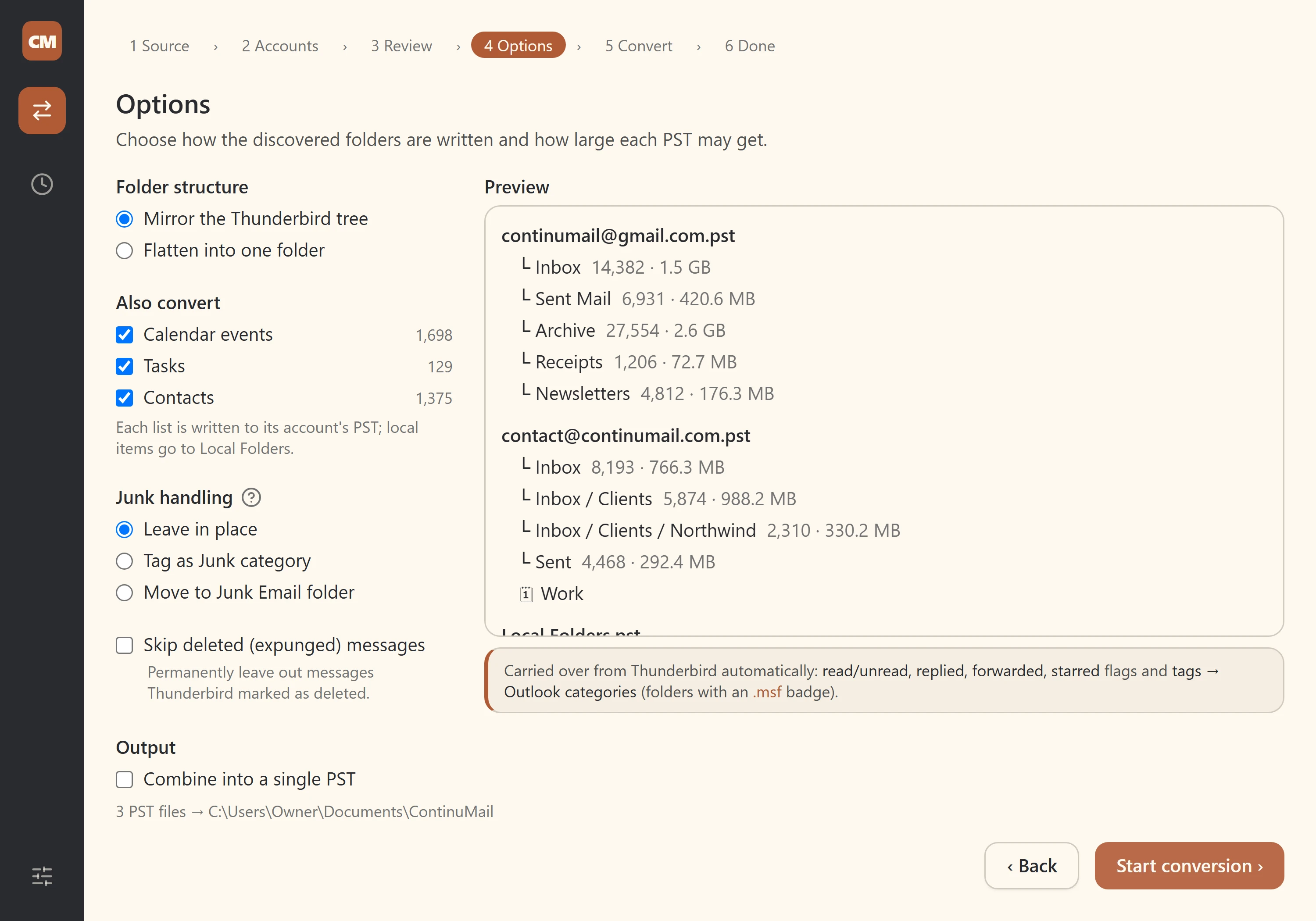
Decide how junk is handled, whether to skip messages Thunderbird has deleted but not yet cleared out, how folders are mapped, and whether each account becomes its own PST. A live preview shows the result before you start.
5. Convert
Start the conversion and watch live progress. Your Thunderbird files are only ever read, never changed.
6. Done — review the result
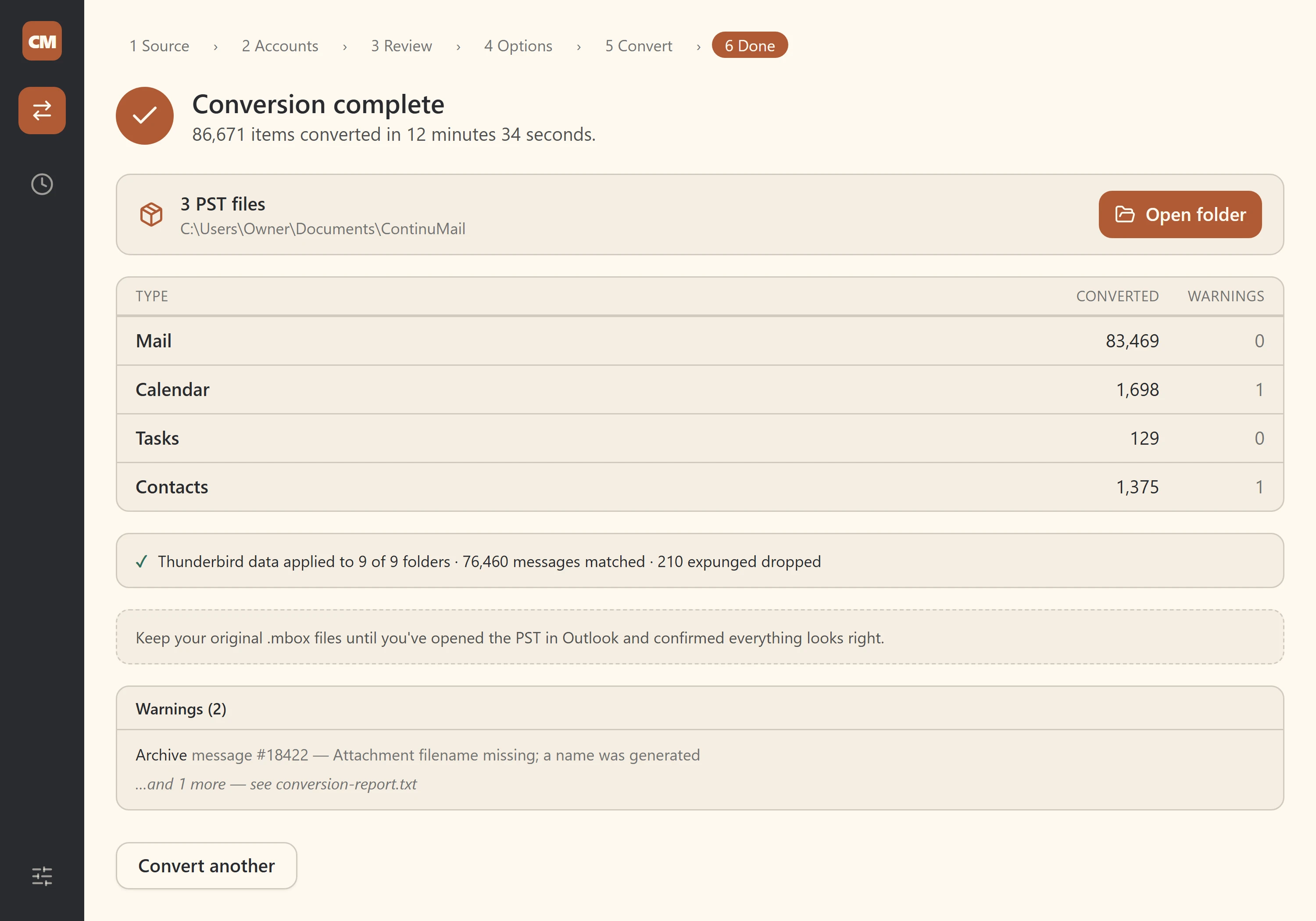
The Done screen sums up the run: what converted, any warnings, and which Thunderbird state was applied. Your tag colours are already inside the PST — they are written into the file during conversion, so there is no separate colour step and no Outlook needed.
Open it in Outlook
In Outlook, go to File → Open & Export → Open Outlook Data Fileand pick the .pst ContinuMail made. Your folders, messages, flags and categories are simply there. Have a look around and check it before you rely on it.
Questions people ask
- Do I need Outlook installed to convert?
- No. ContinuMail builds the Outlook data file itself — nothing drives or needs Outlook, not even tag colours, which are written straight into the PST. You only need Outlook (or another PST-capable tool) to open the finished file.
- Will my tags survive the move?
- Yes. From a live Thunderbird profile, your tags become Outlook categories under your real tag names, with their colours baked into the PST. One caveat: classic Outlook only renders category colours when the PST is your primary/default data store — opened as a secondary data file, categories show their names but not their colours.
- Is my email uploaded anywhere?
- No. Everything happens on your own PC. Nothing is sent to us or to any server, and your original Thunderbird files are only ever read, never changed.
- Is it really free?
- Yes. ContinuMail Converter is free and open-source under the GPL-3.0 licence.
- My mail is just exported .mbox files, not a profile. Does it still work?
- ContinuMail converts parseable messages, folders and attachments and reports malformed records that need review. Whether read, unread, replied, forwarded and starred marks come across depends on where that mail was stored: Thunderbird saves them inside the file for POP accounts and Local Folders, but not for IMAP or Exchange accounts. Tags and junk state are not kept in a bare export, so use the live Thunderbird profile when that state matters.
Your Thunderbird mail, folders and tags — at home in Outlook. Free, and entirely on your own PC.
Free · no sign-up · Windows 10/11
Curious why this is harder than it looks? Readhow it works. Coming from a plain mbox archive instead? See thembox to PST guide.