Convert Gmail Takeout to Outlook PST
By Aksel VisbyPublished Updated Tested with ContinuMail Converter v0.3.2
Google Takeout hands you an .mbox file. Outlook won't open it. ContinuMail Converter bridges that gap for free: it turns your Takeout export into a standard Outlook PST, entirely on your own PC — no upload, no Outlook needed to convert, and your export is only ever read, never changed.
Free · no sign-up · Windows 10/11
Why Takeout and Outlook don't talk
Takeout exports Gmail in mbox, an open plain-text archive format. Outlook speaks PST, its own database-like format, and ships no mbox import at all. So every "import my Gmail archive into Outlook" journey ends the same way: convert the mbox to PST first. ContinuMail was built and validated against real Takeout exports — including a bug in a widely-used mail parser that silently truncates some of them, which ContinuMail works around with its own message splitter.
Curious what's technically involved? See how it works. Weighing free against paid tools? See the honest comparison.
Step by step
1. Export your Gmail with Google Takeout
Go to takeout.google.com, deselect everything, then tick Mail. Tip: under the Mail settings, choose specific labels instead of "all mail" if you want each label to become its own folder in Outlook — Takeout exports one mbox file per selected label.
2. Download and unpack the export
Google emails you a download link (large exports arrive in parts). Unzip it; your mail is in the Takeout/Mail folder as one or more .mbox files.
3. Install ContinuMail Converter
Get the free installer for Windows 10/11 and run it.
4. Select the .mbox files
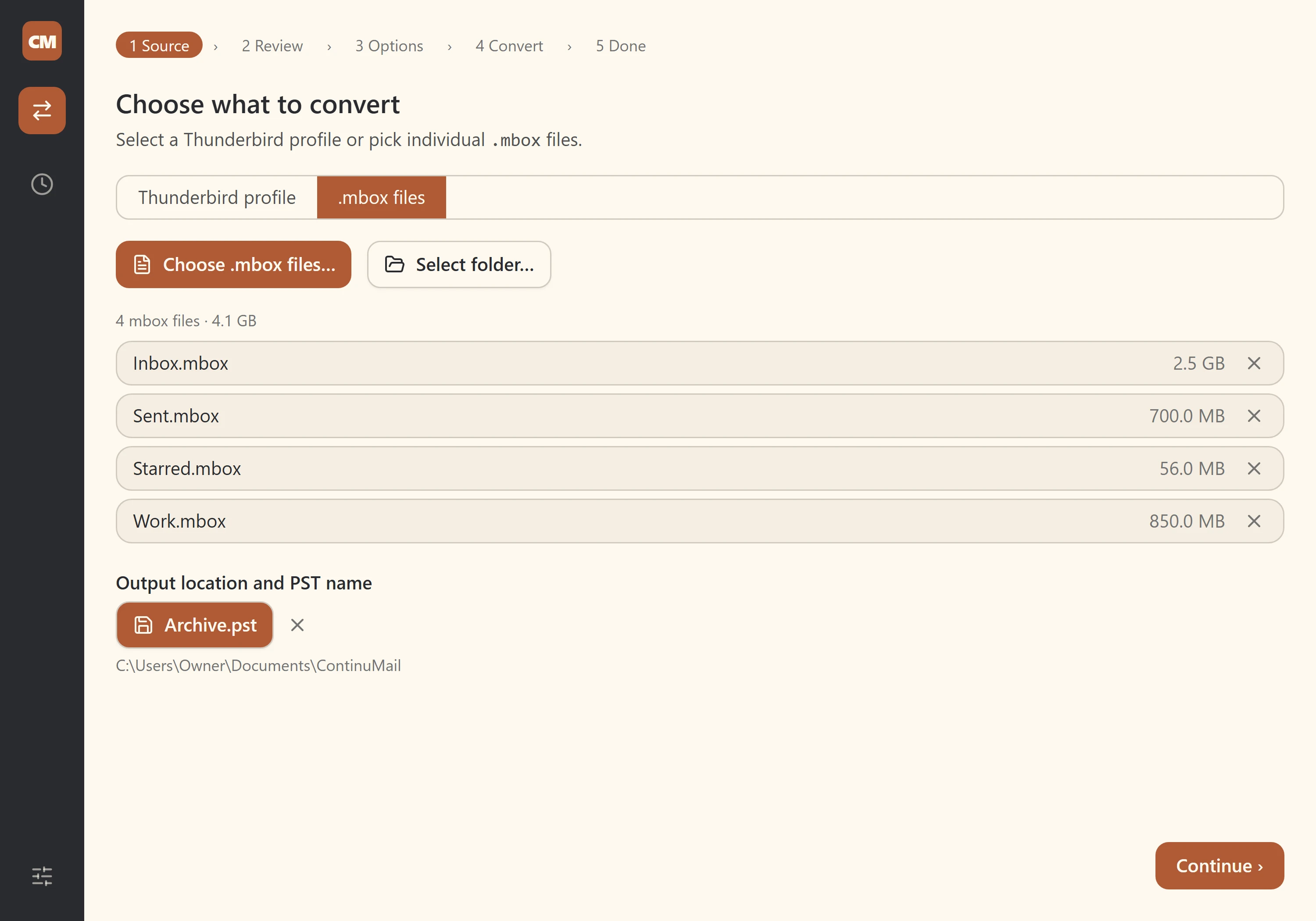
Open the app and pick the .mbox files from your Takeout folder, or select the whole folder at once.
5. Scan, review and convert
The scan counts messages and estimates output size before anything is written. Review the breakdown, set a split size if the archive is huge, and start the conversion. Your Takeout files are only ever read, never changed.
6. Open the PST in Outlook
In Outlook, use File → Open & Export → Open Outlook Data File and select the generated .pst. Check your folders and messages before relying on the result.
What survives the trip
Parsed messages with their attachments (inline images included), HTML bodies with a plain-text fallback, To/Cc/Bcc, dates, threading — and your read/unread state, which ContinuMail recovers from the labels Gmail embeds in the export. Each mbox file becomes its own PST folder, so a per-label export keeps your label structure as folders. The full field-by-field breakdown, including what isn't preserved and why, lives on thewhat gets converted page.
Questions people ask
- Google Takeout gave me an .mbox file — how do I open it in Outlook?
- You can't open it directly: Outlook has no mbox import. You convert the .mbox to a PST file first, then open that in Outlook. ContinuMail does the conversion for free, entirely on your own PC.
- Will my Gmail labels survive the move?
- Partly. Your read/unread state comes across — ContinuMail reads it from the labels Gmail embeds in the export. But labels themselves are not turned into Outlook categories yet. The practical workaround: when you set up the Takeout export, select your labels individually — Takeout then exports one mbox per label, and each becomes its own folder in the PST.
- My export is huge. Can it cope?
- ContinuMail scans before writing, reports the estimated output size, and can split the result into multiple PSTs by size. Large inputs still require time and ample disk space, so keep the original export until every generated PST has been reviewed.
- Is my mail uploaded anywhere?
- No. The conversion runs entirely on your machine and makes no network connections. For a Gmail archive full of personal history, that matters: nothing to trust but code you can read.
- Is it really free?
- Yes. ContinuMail Converter is free and open-source under GPL-3.0 — no trial cap, no watermark, no paywalled features.
Your Gmail history, at home in Outlook — free, and entirely on your own PC.
Free · no sign-up · Windows 10/11
Converting a generic mbox archive instead? See thembox to PST guide. Moving from Thunderbird? TheThunderbird to Outlook guidebrings tags, calendars and contacts across too.