Convert Thunderbird and mbox archives to Outlook PST, locally.
A free, open-source converter that runs entirely on your PC. It converts whole Thunderbird profiles — mail, folders, tags, calendars, contacts and tasks — and any mbox archive, Gmail Takeout included. Nothing is uploaded, and no Outlook is needed to convert.
Free & open-source (GPL-3.0) · Desktop app for Windows 10/11 · CLI for Windows, Linux & macOS · early release (0.x)
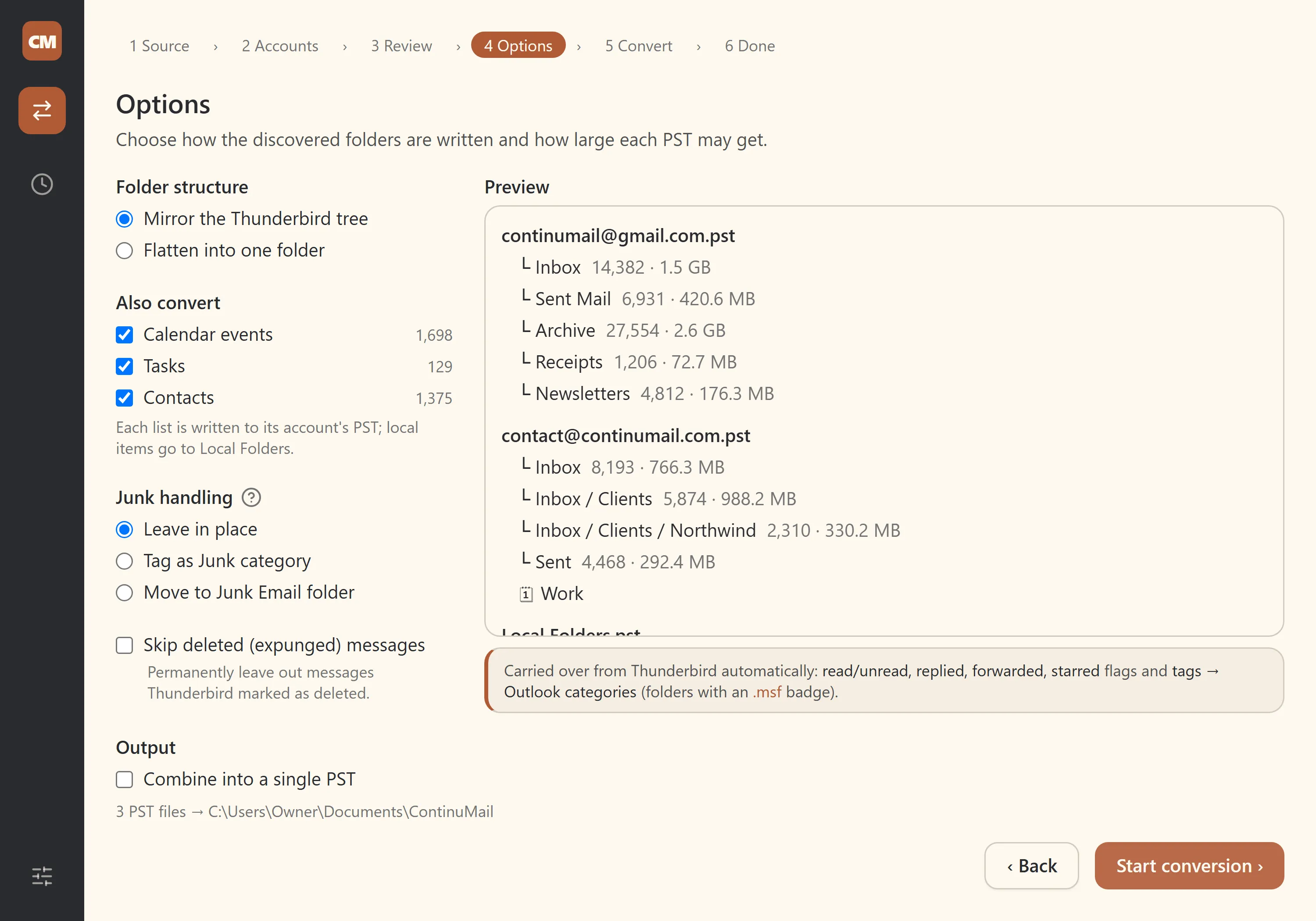
Your mail lives in Thunderbird or an .mbox archive. You need it in Outlook as .pst.
Most tools that bridge that gap are paid, closed-source, make you upload your mail, or insist Outlook be installed. ContinuMail does the conversion on your own machine, so your email never leaves your computer.See how free and paid converters compare →
Faithful, not lossy
A from-scratch, open-source PST writer creates .pst directly, with no COM automation and no Outlook hijacked while it runs. What goes in, comes out:
- Folder structure (mirror or flatten)
- Attachments, including inline images and embedded .eml
- HTML bodies with a plain-text fallback
- To/Cc/Bcc, read/unread, importance
- Message-ID / threading headers
- Size-based PST splitting
Point it at a Thunderbird profile
It finds your profile automatically and brings across the parts a bare mbox throws away:
- Tags become Outlook categories — with their colours baked into the PST
- Stars become follow-up flags; read/unread, replied and forwarded marks carry over
- Calendars, contacts (with photos) and tasks convert too — each account gets its own PST, with its own calendars and contacts inside
- Junk handling your way — leave it, tag it, or move it to a Junk folder
See the Thunderbird → Outlook guide →
Tested on real-world Thunderbird and Gmail Takeout archives. Next: more input formats — EML, MSG, Apple Mail.
Why you can trust it
- It runs locally. It makes no network connections and uploads nothing, and your original files are only ever read, never modified.
- It's open-source. Licensed GPL-3.0 and free forever. Anyone can read and verify the full source on GitHub.
- It's built to preserve, not approximate. Folders, attachments, dates, read/unread state, tags, stars, threading — and now calendars, contacts and tasks — carry over intact. What's preserved (and what isn't) is documented field by field.
Why this exists
Built by an MSP technician who hit the same wall on migration after migration: mail stranded in old ISP mailboxes, ancient Thunderbird, POP3, with no good free path into something modern like Microsoft 365. So it got built, and it's given away.
Common questions
Is it really free?
Yes. Free and open-source under GPL-3.0, and it stays that way. Read more about pricing and licensing
Is my email uploaded anywhere?
No. Conversion happens entirely on your machine; it makes no network connections. Read more about privacy and data handling
Do I need Outlook installed to convert?
No. The conversion runs without Outlook and uploads nothing. (You do open the finished PST in Outlook afterwards.) Read more about Outlook requirements
Get your mail into Outlook
Free, open-source, and it runs on your machine.
Early release (0.x), not yet code-signed, so Windows may show a SmartScreen prompt. See the download page for what to expect.